Your First 5 Steps as a HERizon Ally

Updated: Jul 19
Being a HERizon Ally means your organization has a presence inside the HERizon Connect app. That presence only delivers value if you use it. These five steps get you set up and active from the start!
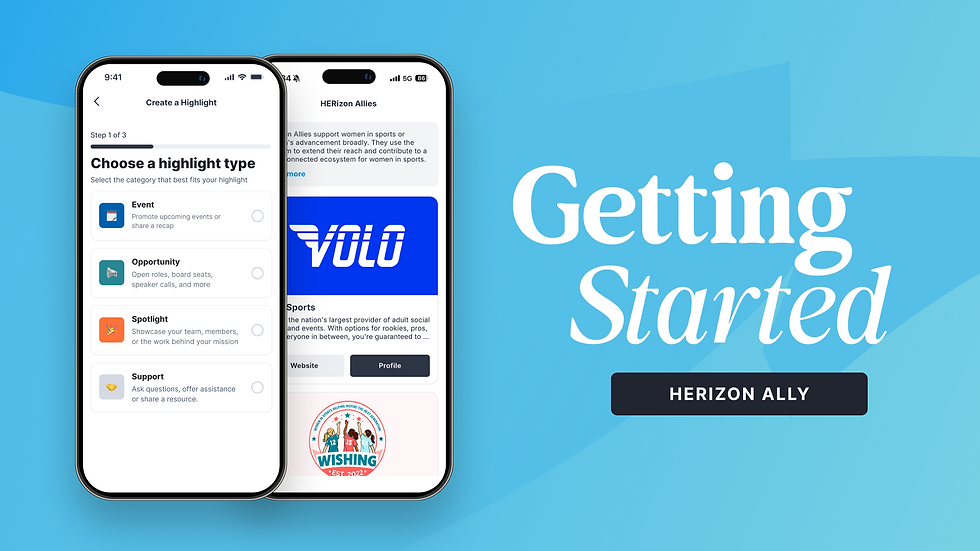
1. Download the app and log in
Search HERizon Connect in the Apple App Store or Google Play Store. Log in using the email address that was used when your Ally account was created. Your account has already been set up on the backend, so once you are in you will land directly on your Ally home screen.
One thing worth noting: the Ally experience has a distinct blue visual theme throughout the app. The + button, navigation accents, and home screen header are all blue. That is how you know you are in the Ally view.
2. Complete your organization profile
Your profile is where members learn who your organization is and decide whether to follow you. Before you post anything, take a few minutes to fill in/refine:
Your About section — what your organization does and who you serve, in plain language
Your website and social links
Your contact email — this should be one you check regularly and have direct access to, because it is also your account login
Some fields, including your organization name, admin name, and admin position, are locked and can only be updated by our team. Email collab@herizonconnect.com if any of those need to change.
3. Accept your Slack invitation
Check your email for an invitation to the HERizon Ally Slack channel. This is where we share platform updates, coordinate event approvals, and stay connected with all Allies as a group. Accept the invite and introduce yourself when you are in.
4. Post your first Highlight
Your first post does not need to be elaborate. Use the Spotlight category and introduce your organization to the network. Tell members who you are, what you do, and why you are here. Tap the blue + button from anywhere in the app to get started.
You have four posting categories available: Event, Opportunity, Spotlight, and Support. More on all of these in the Highlights guide.

5. Submit your first event
If your organization has an event coming up, get it into the platform! Tap the blue + button and select Add an Event. Fill in the details and submit. Events go through a quick review before going live in the network feed. Plan for up to one business day for approval. If you need something moved quickly, reach out to Tori directly in the HERizon Slack channel.
You can also submit events through our web form.


Comments